
I wanted to write this some time back but never got around to it. Glad I waited. There is a new update that makes this more interesting. As an Android user, I have been watching Google quietly redesign Quick Settings over the past few years. What looks like simple UX updates is actually a masterclass in product thinking.
This is a teardown of two specific changes, and what they tell us about how Google thinks about user behavior and business outcomes at scale.
The WiFi + Data Merge
Android 12, 2021
Before
Separate WiFi and Mobile Data toggles. Independent control.
After
Single "Internet" tile. One tap to open a unified connectivity panel.
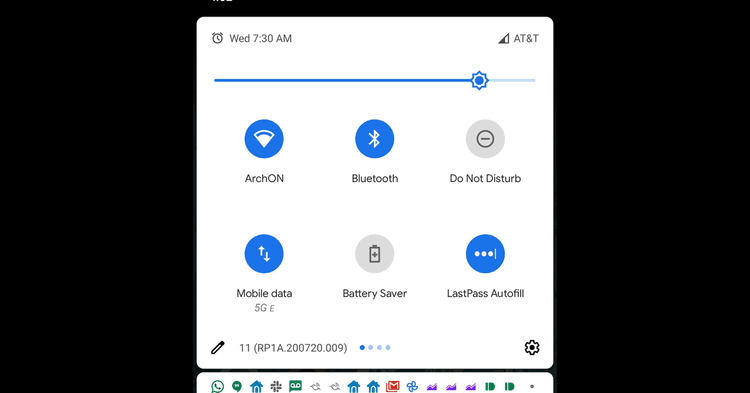
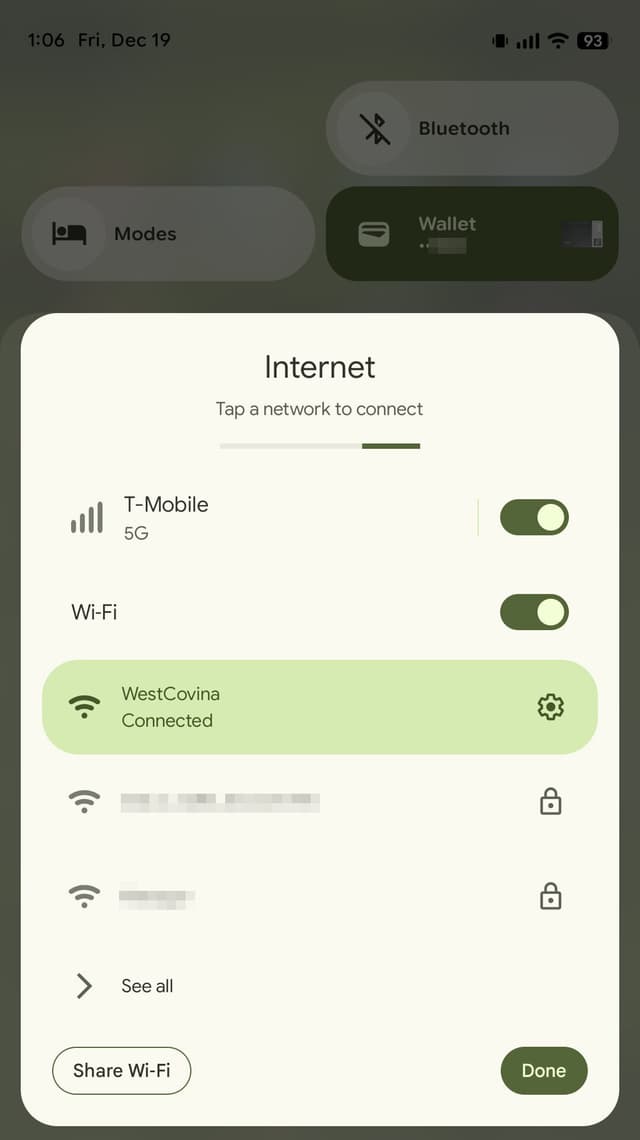
This is smart. Most users do not think "I want to switch between WiFi and cellular." They think "I want internet." The unified toggle matches that mental model. But here is the interesting part: merging these controls subtly encourages users to keep connectivity on.
One tap for quick access. Two taps to fully disable. That friction is intentional.
Why? Because connected devices produce better experiences. Seamless handoffs between WiFi and cellular. Faster app updates. Better location accuracy. And yes, more data for improving Google services. The UX improvement and the business goal are the same decision.
Update
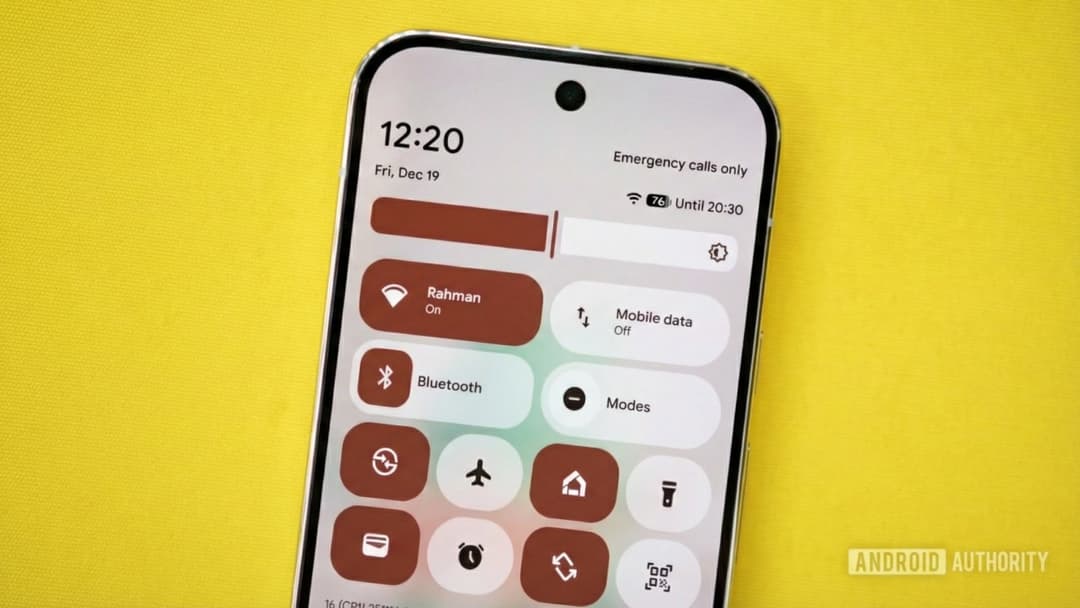
Code found in Android 16 QPR3 Beta 1 shows Google working to split the Internet tile back into separate WiFi and Mobile Data toggles. Not released yet — but in progress. See the epilogue.
The Bluetooth Evolution
Iterative product thinking across Android 8 to Android 14
Tap the word "Bluetooth" to expand tile and see paired devices inline.
Material You redesign. Pill shape tiles. Expansion removed — toggle only.
Popup device list returns. Tap icon to toggle, tap label to see paired devices.
Each iteration optimized for the common use case. Users were not turning Bluetooth on and off constantly. They were switching between devices. Headphones to car. Watch to speaker.
Android 12 simplified aggressively — too much, it turned out. Android 14 walked it back with the popup device list. The hypothesis was clear: if device switching is effortless, users keep Bluetooth on more often. Two iterations to get the balance right.
Key Takeaways
01
Match the mental model
Users think "I want internet", not "I want WiFi". When a product matches how users think, friction disappears.
02
Align UX with business goals
Keeping connectivity on means better Google services and richer telemetry. Good PM work is rarely neutral.
03
Optimize for the common case
Most users were switching devices, not toggling Bluetooth off. Redesigning around that job made the product better for 80%.
Epilogue: The Next Iteration
Android 16 QPR3 Beta 1, 2025
Code found in Android 16 QPR3 Beta 1 shows Google working to bring back separate WiFi and Mobile Data toggles as an option. This is not a failure. This is product management working correctly.
The original Internet tile was a valid hypothesis. Match the mental model. Reduce cognitive load. Optimize for the common case. That hypothesis was right for most users. But product teams ship to learn.
Four years of real usage revealed a segment that needed granular control. Mixed-coverage environments. Data limit management. Power users toggling independently throughout the day. That segment was real and large enough to act on. So Google is doing what good teams do: making it an option.
The PM lesson
Ship a hypothesis. Measure real usage. When a meaningful segment diverges, build for them too. Optionality is often the right answer when user needs split. Knowing when to offer it is the skill.
Sources
- 01
- 02Google may finally reverse this controversial Quick Settings change
Android Authority
- 03Android 17 leak shows Google may fix one UI mistake
Android Authority
- 04